Typed world state
Columnar tables are the single source of truth. Agents, modules, and providers read views and emit effects; one resolver applies them.
A typed, event-sourced kernel for LLM-driven social simulation. Every observation, decision and state change is a typed event, and the harness asks the question most simulation papers skip. Does the conclusion survive perturbation?

Run the echo-chamber example with the deterministic mock provider:
bun run simulacra run examples/echo_chamber/scenario.yaml --seed 7 --provider mock --out runs/echoAudit the prisoner's dilemma example across persona format, framing, and memory representation:
bun run simulacra audit examples/prisoners_dilemma/audit.yaml --replications 5 --provider mock --out audits/pdOpen the GUI over the runs and audits you just produced:
bun run simulacra serve --data .With a real model, set SIMULACRA_LLM_API_KEY and drop --provider mock. Any OpenAI-compatible endpoint works. DeepSeek is the default, with thinking disabled in the preset so structured answers fit small token budgets; mlx-lm and LM Studio presets are one flag away. Run bun run simulacra doctor --llm first to check structured-output support, concurrency, and cached-token reporting.
The prisoner's dilemma and echo chamber ship with recordings made against deepseek-v4-flash at the benchmark's size, so replaying them offline means matching that size: --llm-mode replay --ticks 5 for the prisoner's dilemma, and --ticks 3 with population.n 20 for the echo chamber (bun bench/llm.ts runs both). A prompt the recordings do not cover is a replay miss, reported as a failure rather than a silent live call. Use --llm-mode record to make your own at any size.
bun testTimings come from the benchmarks, measured on an Apple M5 Max with Bun 1.3.11.
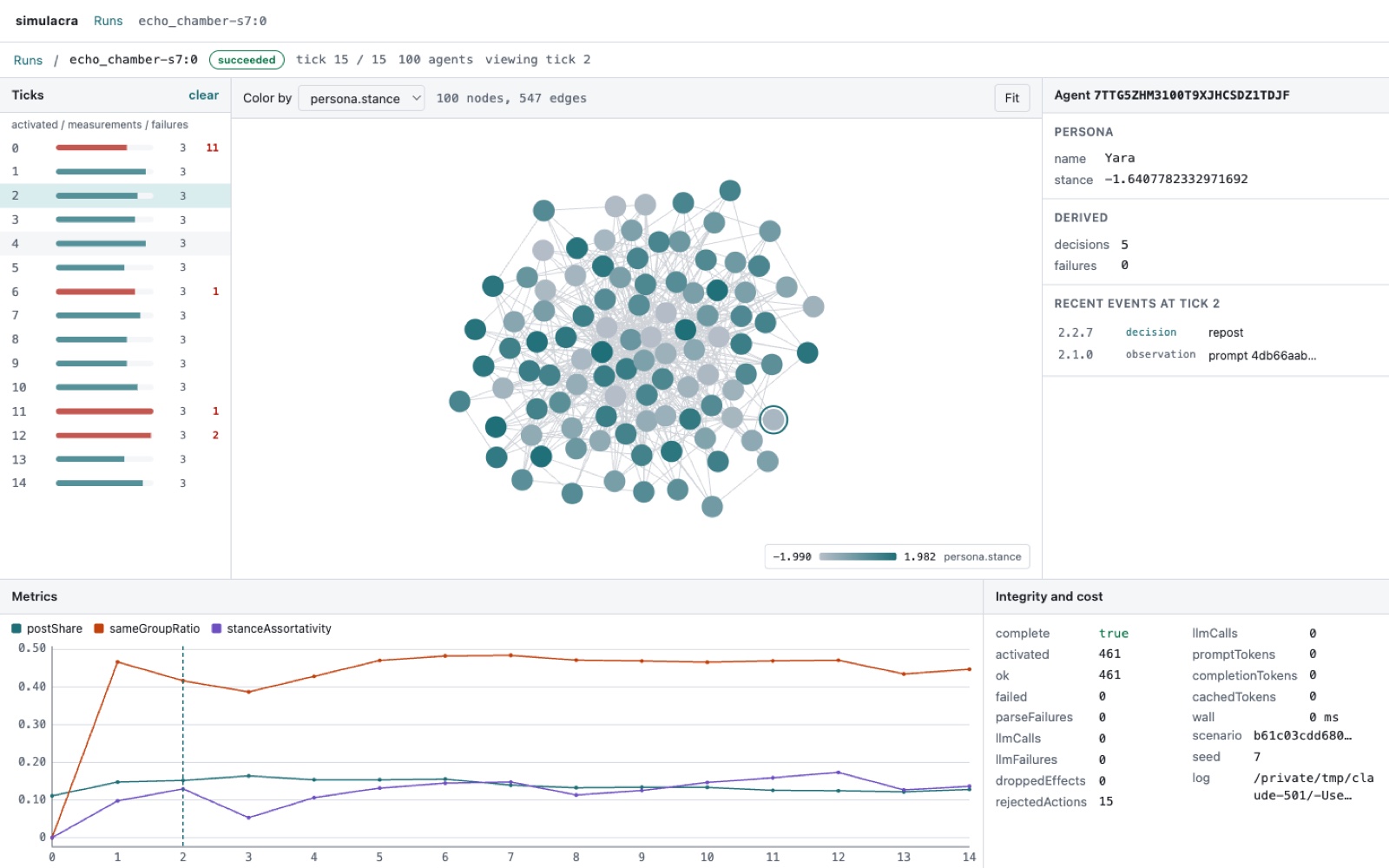
The run view: tick timeline with failure counts, the network coloured by stance, one agent's causal chain from observation to effects, metric series, integrity and cost.
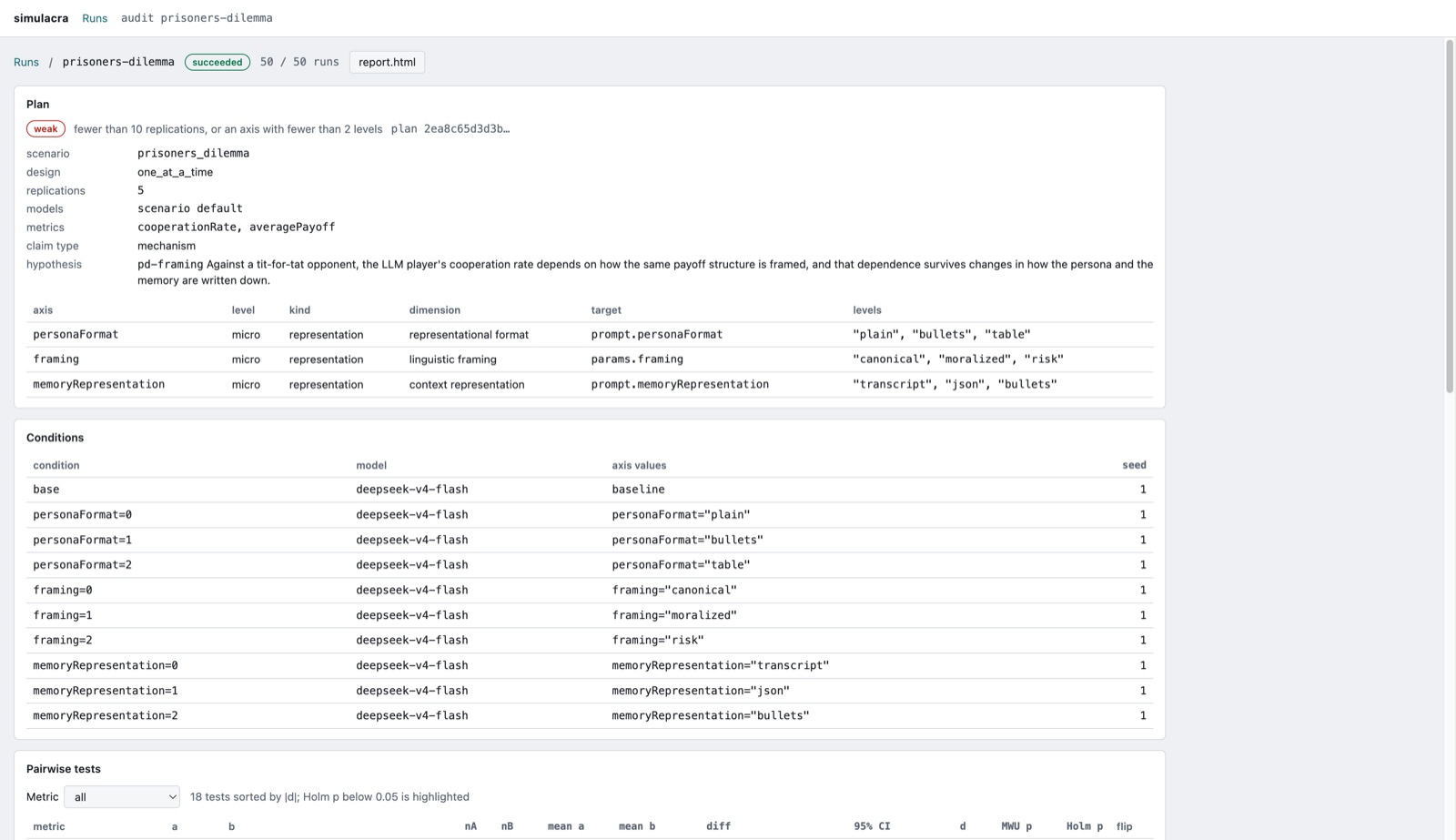
The audit view: plan and evidence grade, perturbation axes, conditions, pairwise tests with Holm-corrected p values, sensitivity ranking and direction consistency.